
Tracker placement
Placement tells Excap which direction a Tracker faces on your body. It does not assign the Tracker to a body part. Use Define or Auto Joint Binding for body-part assignments.
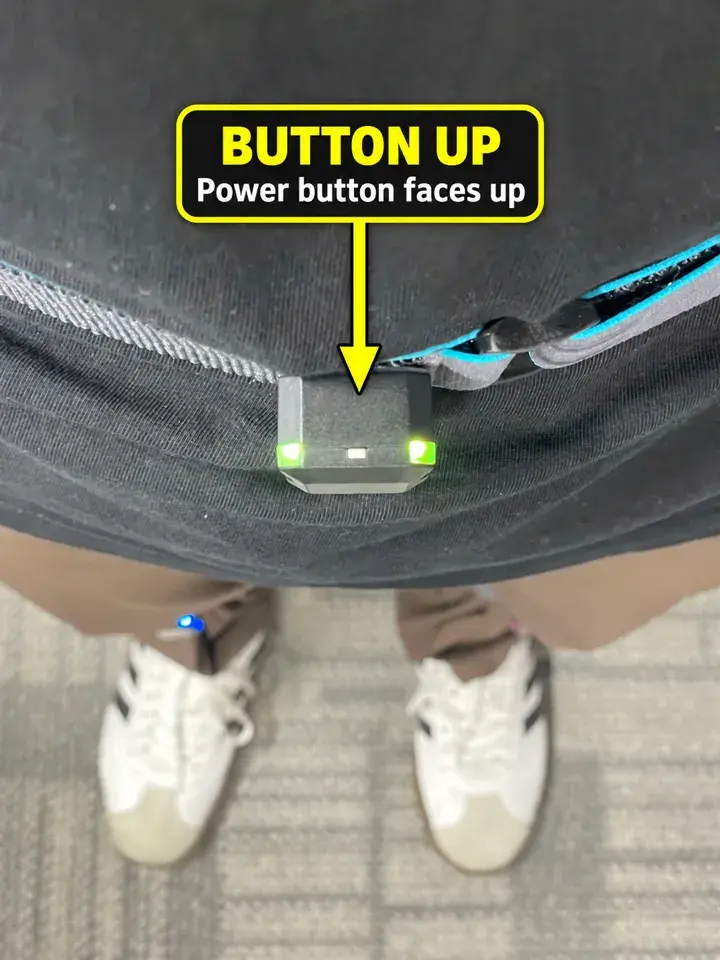
Before you change placement
Wear every Tracker with its power button facing up. The direction choices refer to your body in Natural Standing, not the side of the screen.
For the external camera in Headset Mode, wear Trackers on the front of your body so the camera can see Waist or Hip and both lower-leg marker lights. Side or back placement does not work with this camera route.
Change a Tracker's facing direction
- Open Setting → Placement.
- Find the row with its assigned body part, such as Waist, L Thigh or R Lower Leg.
- Select the direction that matches the way that Tracker is mounted on your body.
- Repeat only for Trackers whose physical placement changed.
The current interface allows Front / Back for Head and Chest. Waist, Hip, thighs and lower legs also allow Left / Right. Arm Tracker directions are fixed on the outside in this interface.
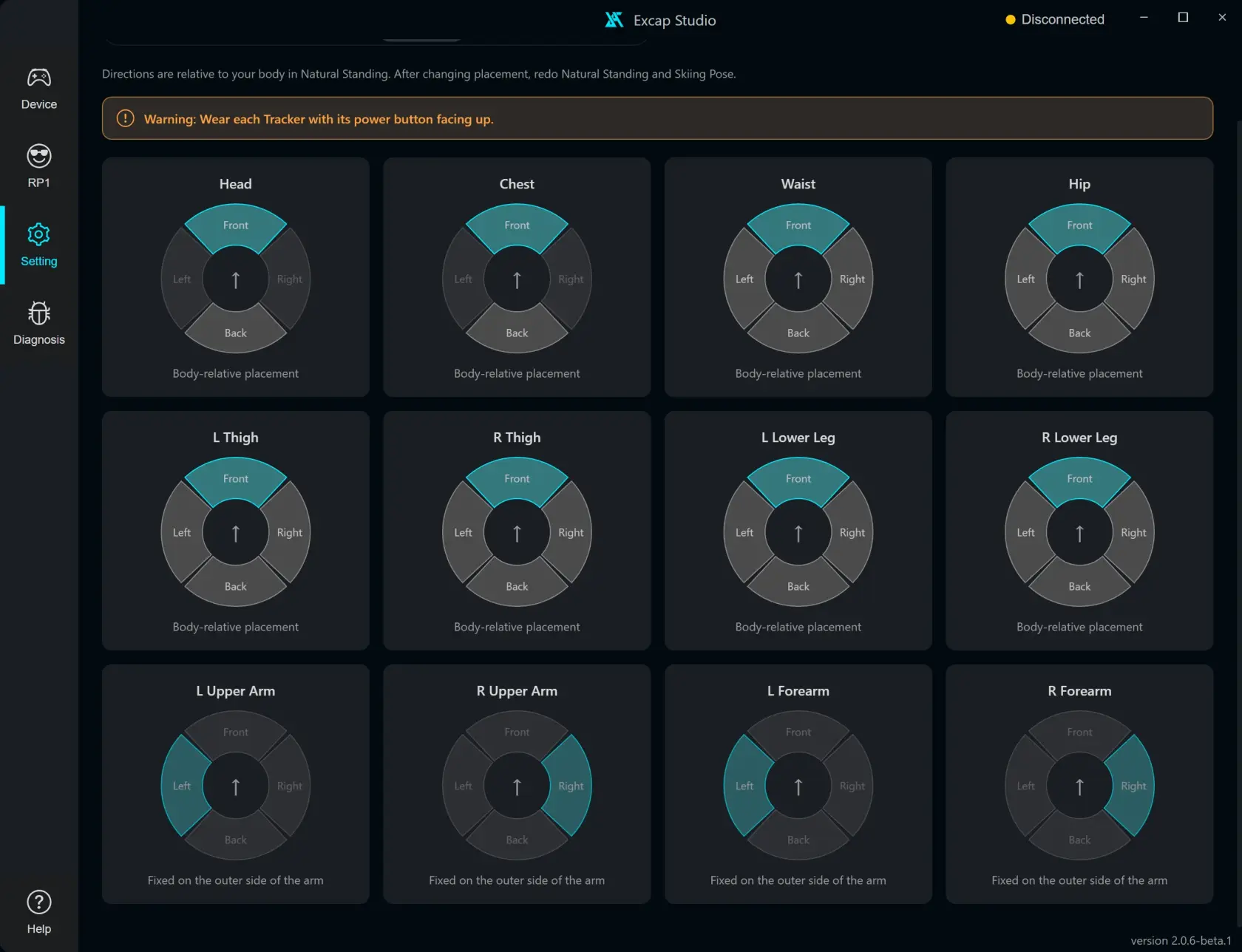
Recalibrate after changing positions
Changing a placement clears the previous pose calibration. Take Natural Standing first, then Skiing Pose, before tracking again.
Back mounting changes the calibration basis for Chest, Hip and Waist by 180 degrees. If you select Back for one of those body parts, Excap asks you to confirm because it clears the previous calibration. Confirm only if that Tracker is physically worn on your back.
Do not change direction just to fix drift. Check that the Tracker is secure, its power button is up and the assigned body part matches where you wear it.
Issue found while exploring
Some arm-placement direction circles are fixed. The display can make them look like controls that failed to respond. A visible explanation beside those rows would make the difference clear.