
Unboxing
Unboxing
Welcome to EXCAP! 🎉 Let's get your new trackers out of the box and ready for action. This page covers everything in the kit, how to attach the trackers to your body, and a few simple tips to make your first setup smooth and stress-free.
What's in the Box
Open the package and check that you have received all the items listed below.
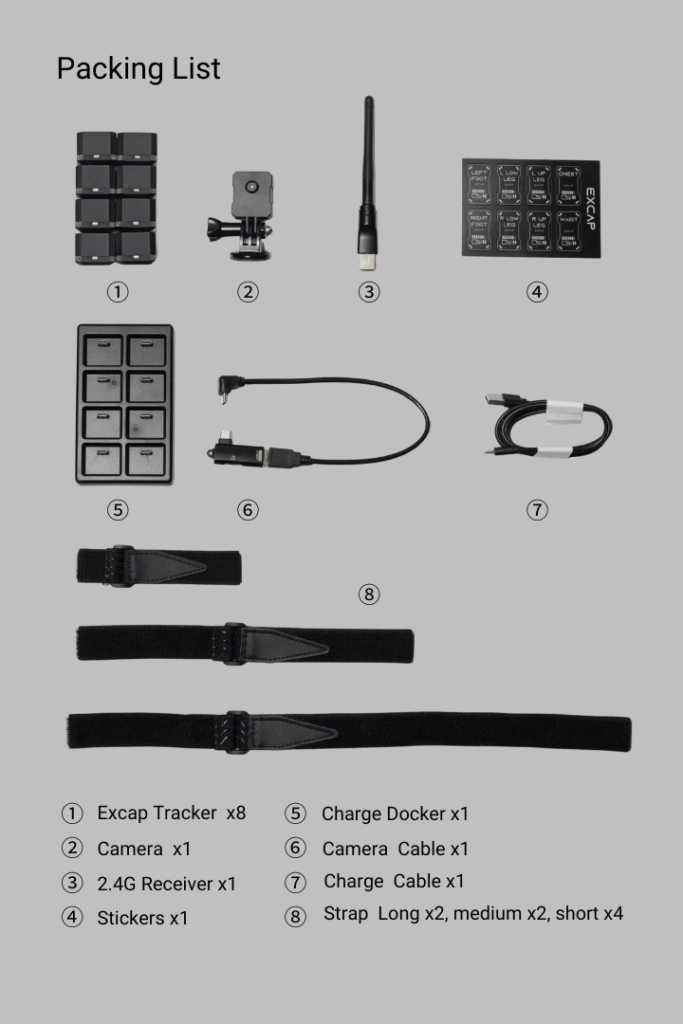
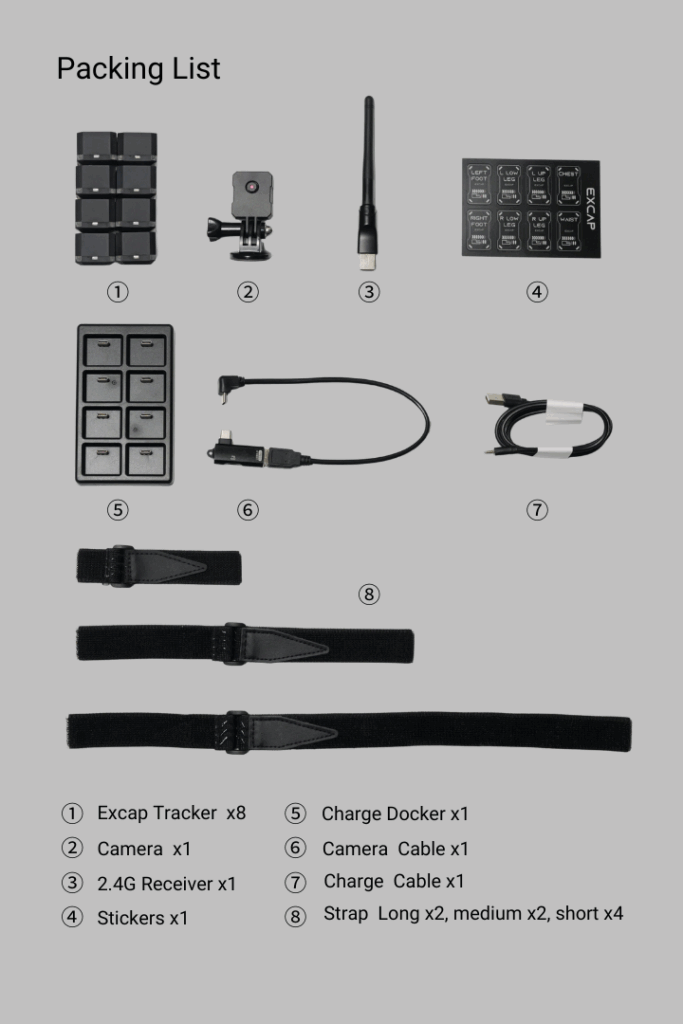
📝 Note: Keep the box and inserts in case you need to store or transport the trackers later. The straps and stickers are small and easy to misplace.
How to Wear Your Trackers
Thread the strap through each tracker and fasten it at the position shown below.
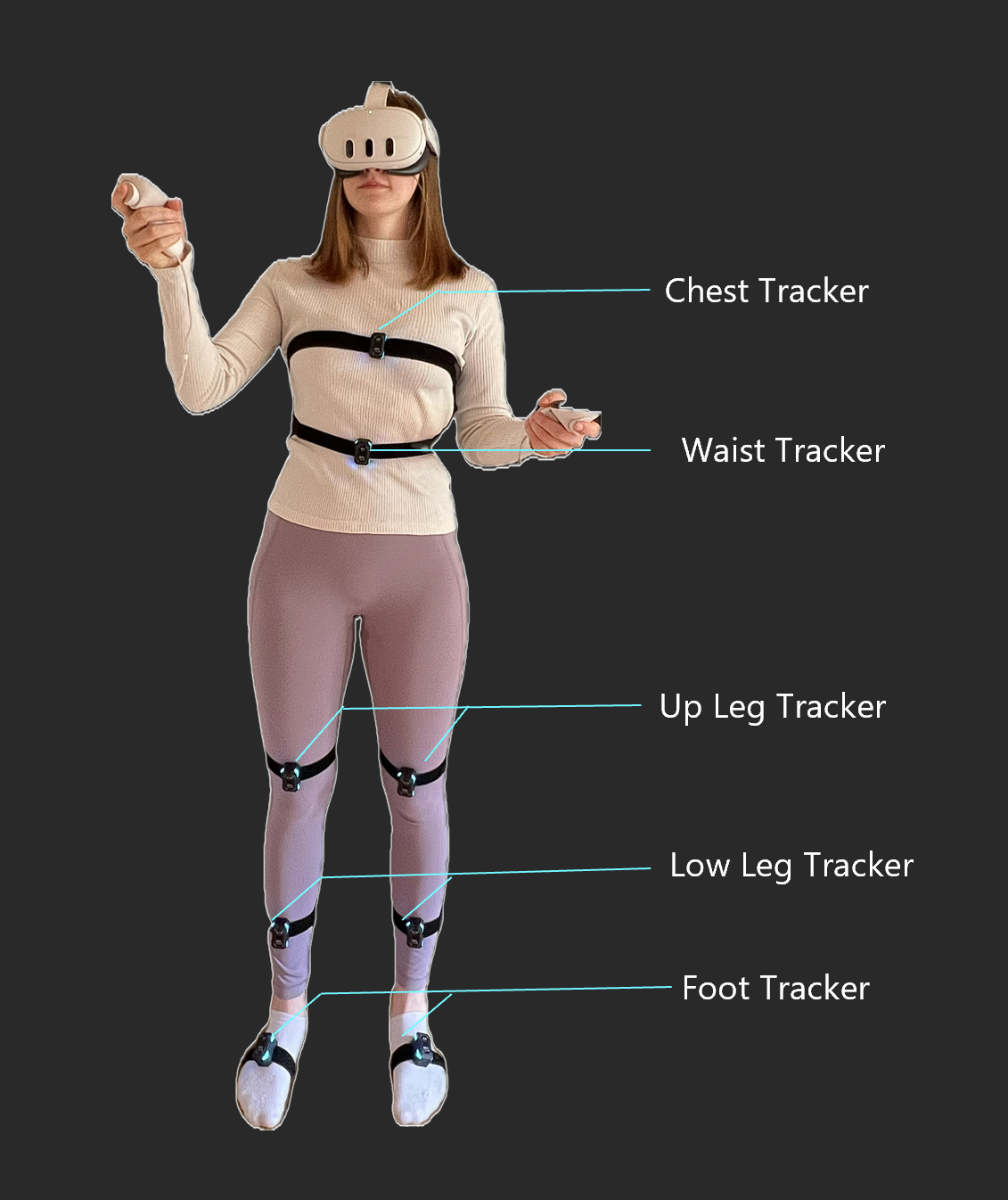
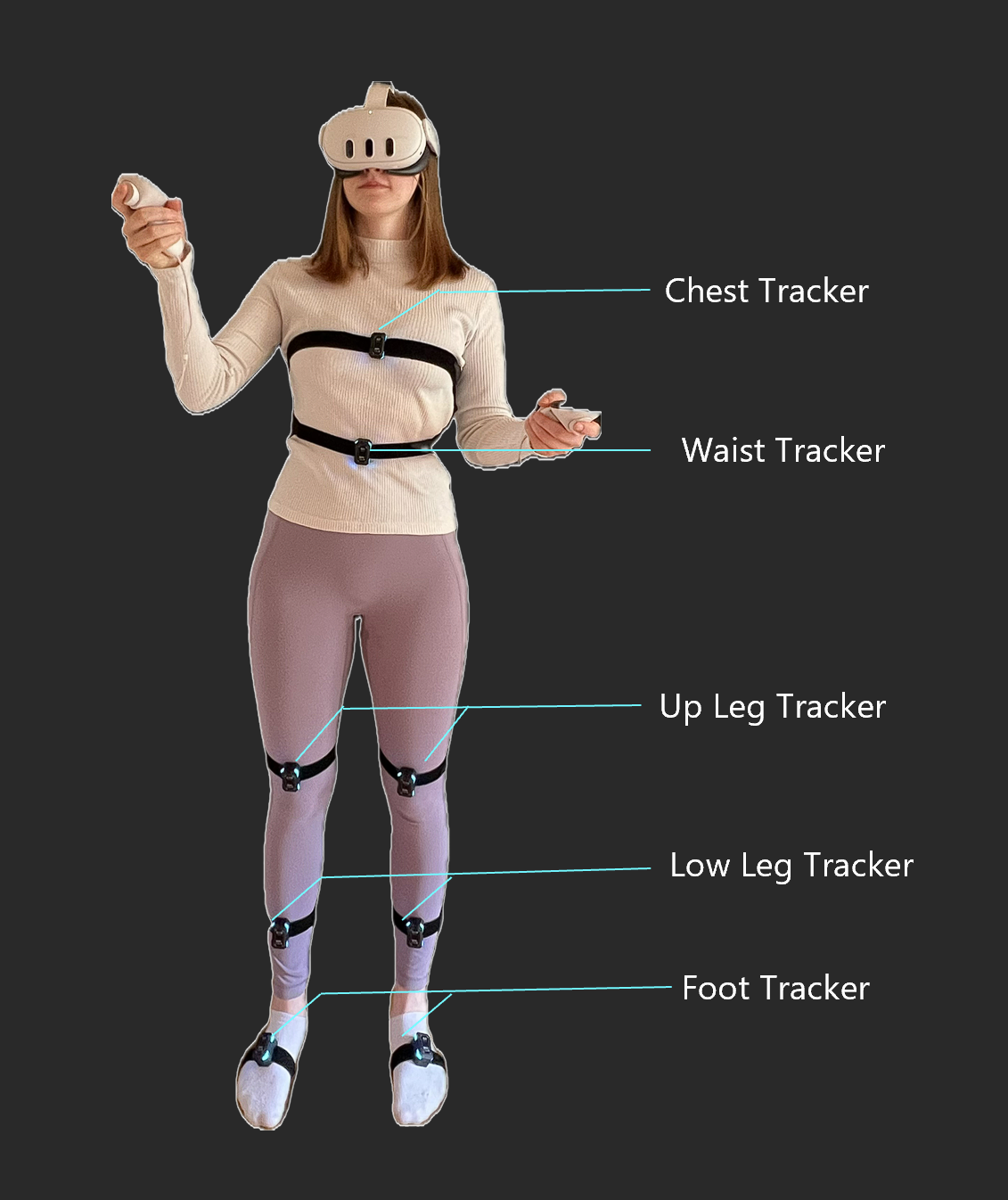
We recommend starting with the 6-point setup. If you are using foot trackers, mount them about one-quarter of the way down the inside of each foot.
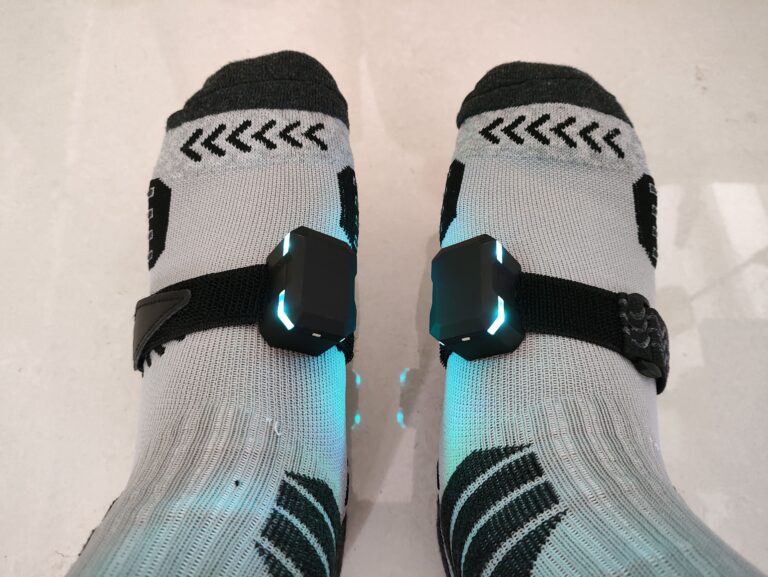
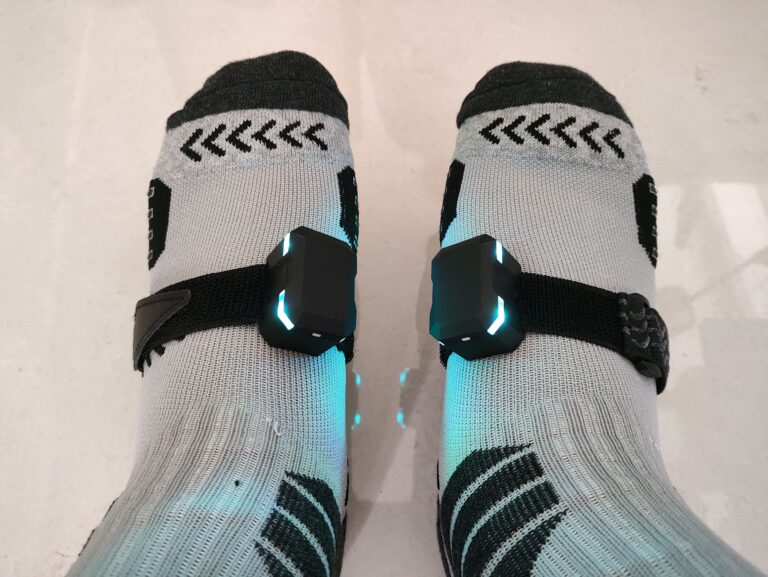
💡 Tip: Tighten the straps so the trackers stay in place, but not so tight that they become uncomfortable during long sessions.
Label Your Trackers
For quick identification and correct placement, EXCAP provides sticker labels for each tracker position. Each tracker is assigned a default body position the first time it starts up.
Click a device card in Excap Studio to see which position it is paired to, then attach the matching sticker to that tracker’s casing.
💡 Tip: Labeling your trackers now will save you time every time you put them on later.
Next: Download and Install ➡️