1. Kit and installation
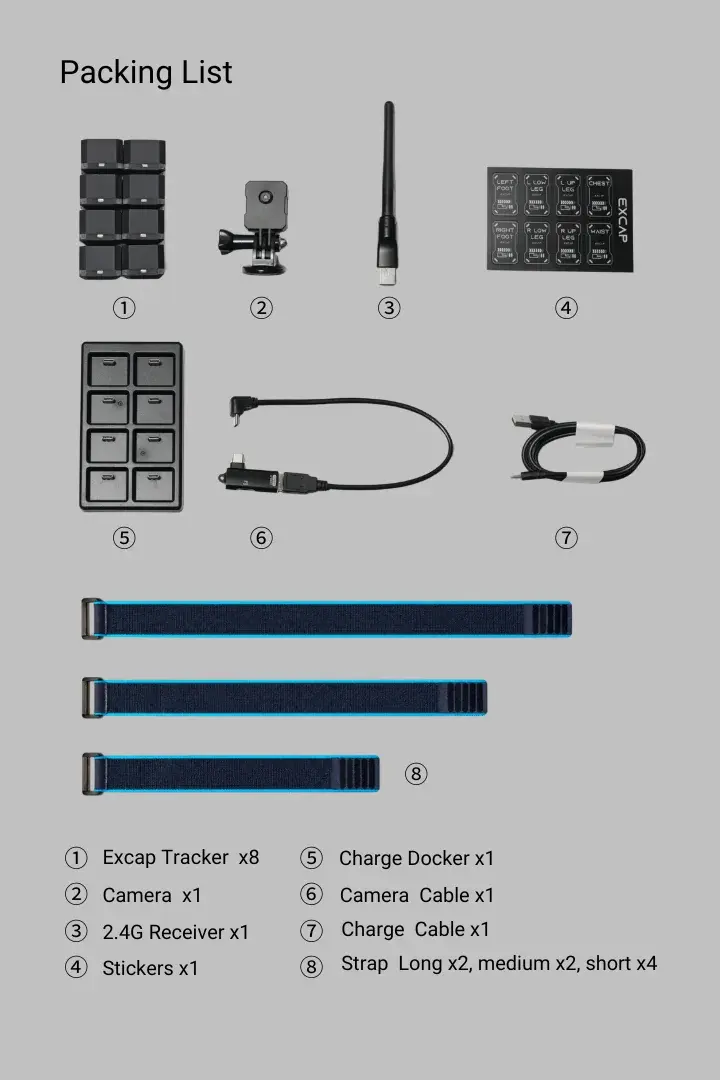
Lay the kit on a table. The current eight-Tracker set includes eight Trackers, the Excap Link 2.4G Dongle, a camera and its mount/cable, a charger and charging cable, stickers, and the new straps: two long, two medium, and four short. Your shipped Trackers use the v2 shell that fits these straps.
Get SteamVR and VRChat ready
If you already play VRChat through SteamVR on this PC, go to the next section. Otherwise, install Steam, then install SteamVR and VRChat from Steam. Connect and wake your headset, start SteamVR, and wait until SteamVR shows the headset as tracked. Do not continue with SteamVR output while the headset still says Not Ready or Disconnected: SteamVR can be open without a live headset, and Excap cannot send the full-body tracking data into that SteamVR session until the headset is connected and tracked. Then leave VRChat closed while you install Excap.
Install Excap Studio
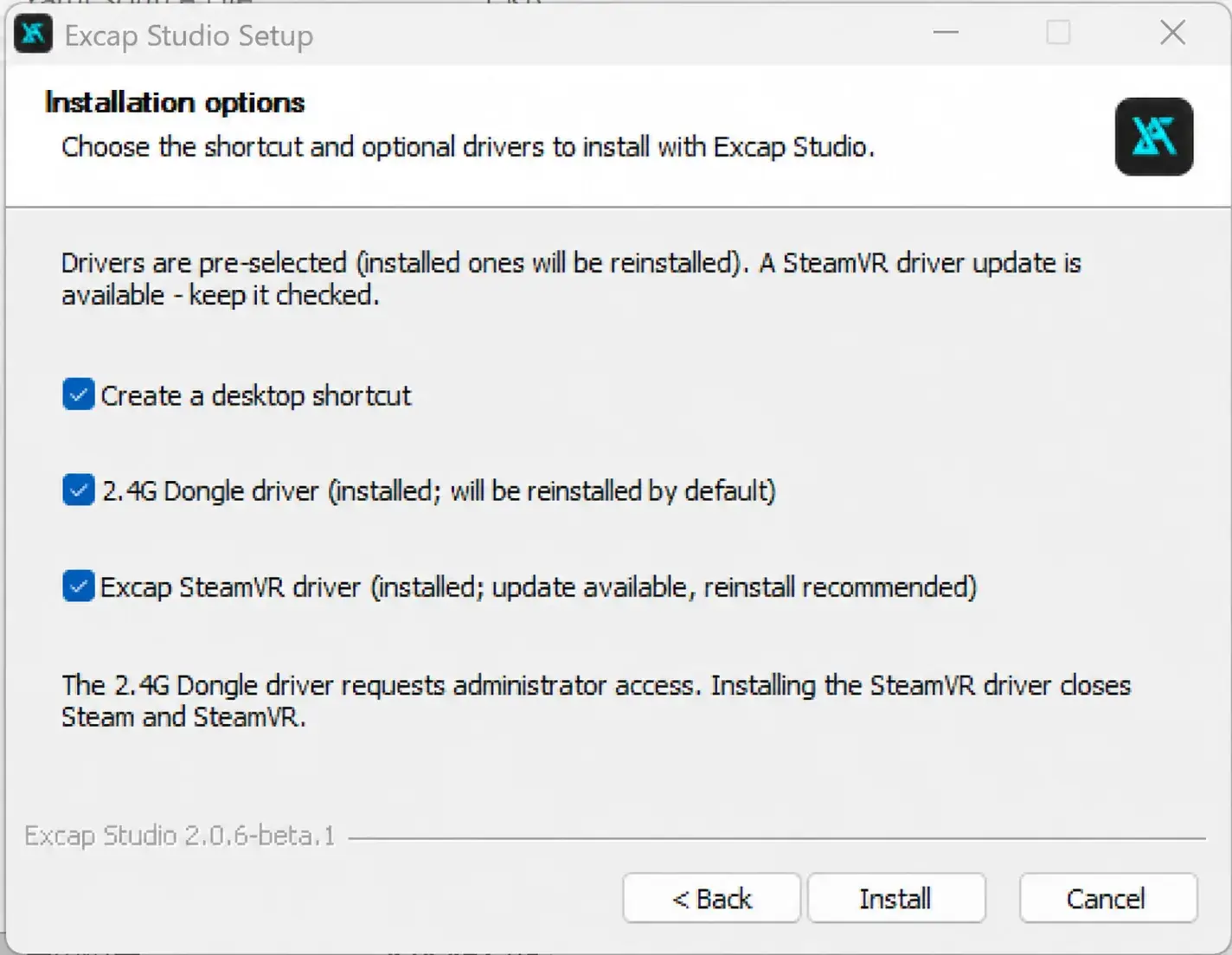
You do not need to download and run a second driver installer for first setup. The downloads website may show an older separate driver link; use the 2.4G Dongle driver included in Excap Studio for this route.
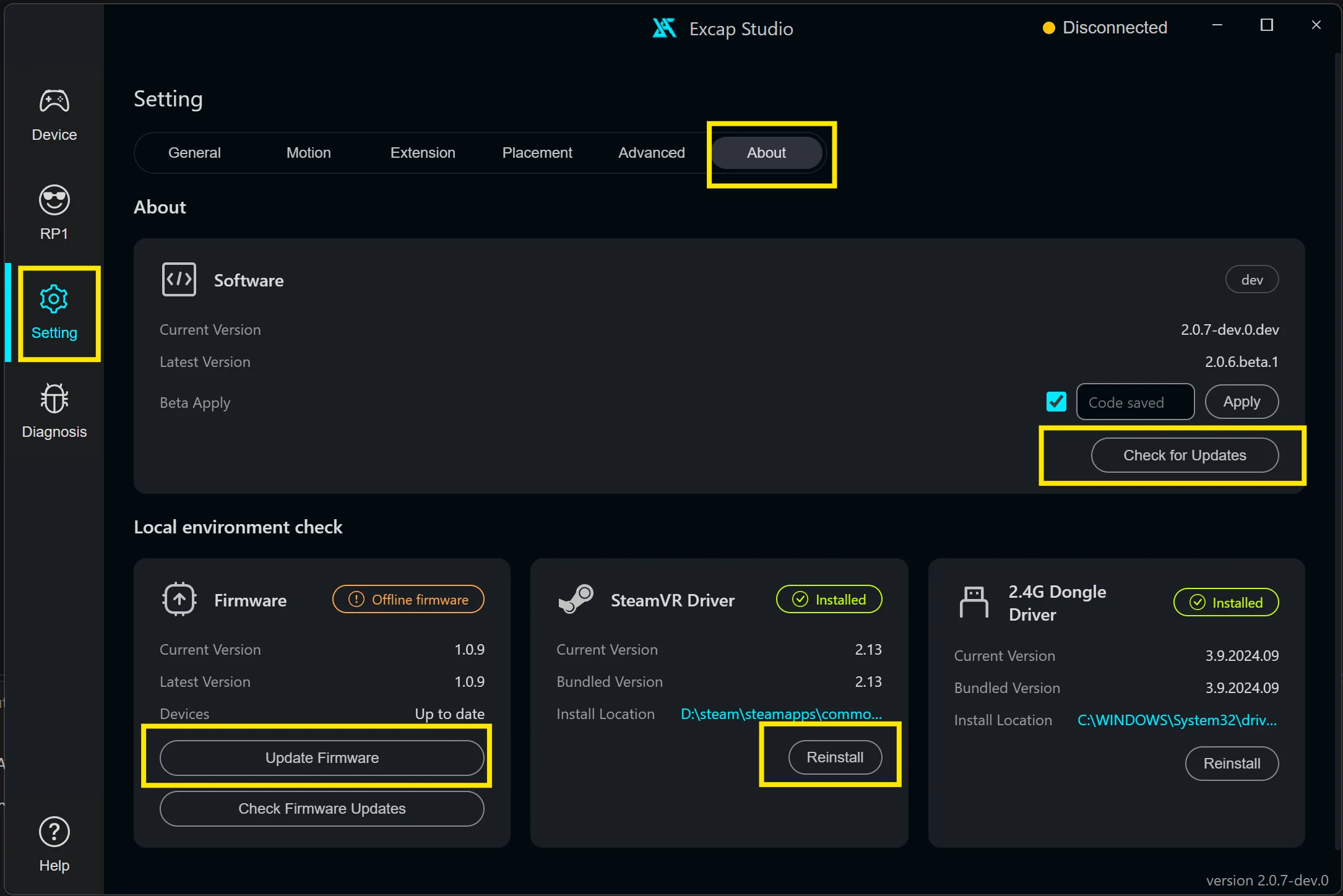
If Excap SteamVR driver says “SteamVR not detected” and its box cannot be selected: finish installing SteamVR first. Then open Setting → About → SteamVR Driver in Excap Studio and use its Install action. This is a recovery step for installation order, not a separate download.
Connect the receiver and Trackers
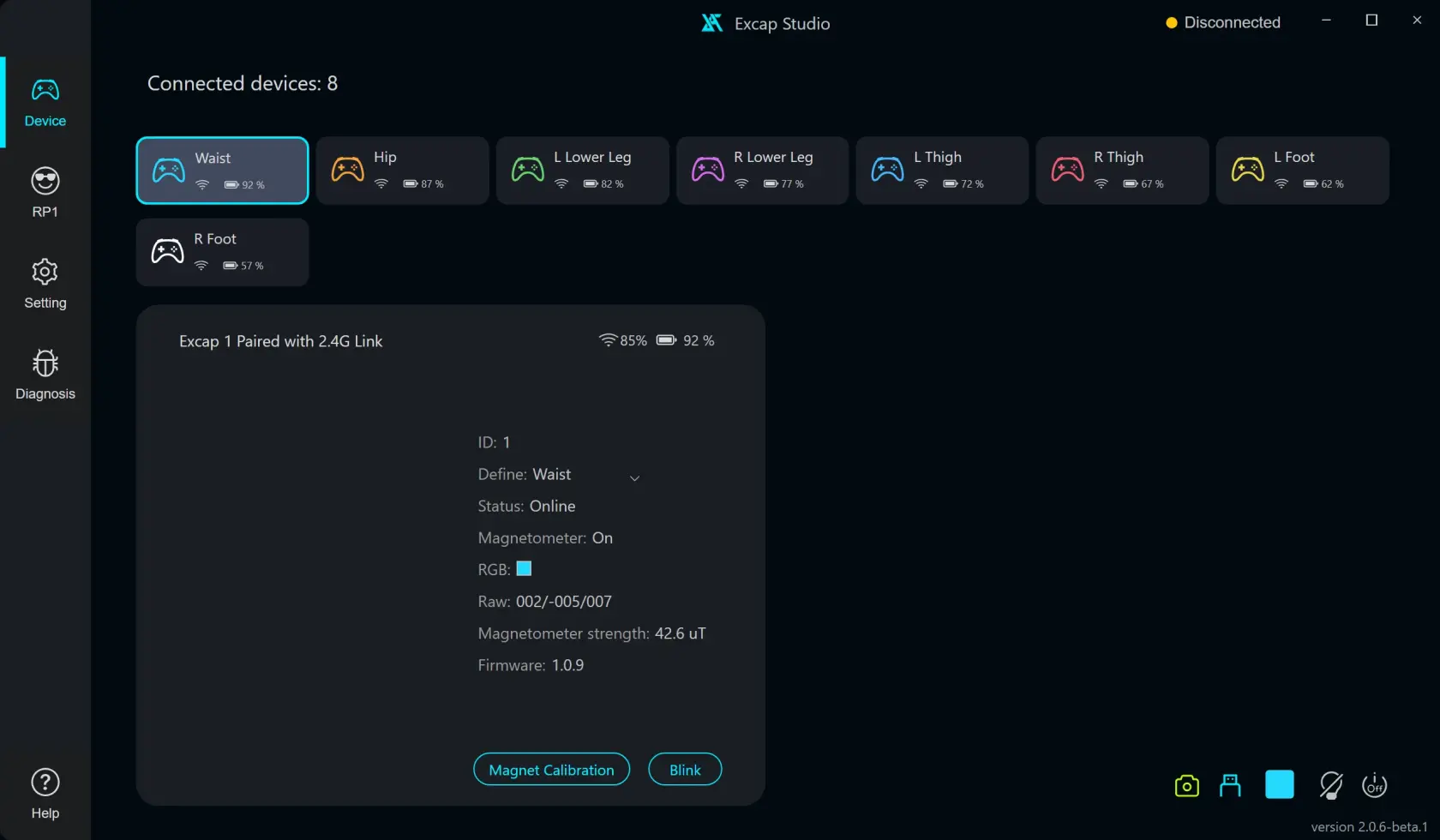
Ready when: the Dongle is online and all eight physical Trackers have matching cards in Device. The screenshot is an example with scripted Tracker data; check your own screen.
The yellow Disconnected text at the top of Excap Studio is the data forwarding mode. It can still say Disconnected at this step even when the Dongle and eight Tracker cards are online. You will select SteamVR there in step 4.
If the Dongle is missing: reconnect it and open Setting → About → 2.4G Dongle Driver to check the installed driver. If fewer than eight Tracker cards appear: charge and turn on the missing Tracker, then check the Dongle. Use Wire Pair Trackers only if a Tracker is unpaired or on a different channel.