# Unboxing
Welcome to EXCAP! 🎉 Let's get your new trackers out of the box and ready for action. This page covers everything in the kit, how to attach the trackers to your body, and a few simple tips to make your first setup smooth and stress-free.
## What's in the Box
Open the package and check that you have received all the items listed below.
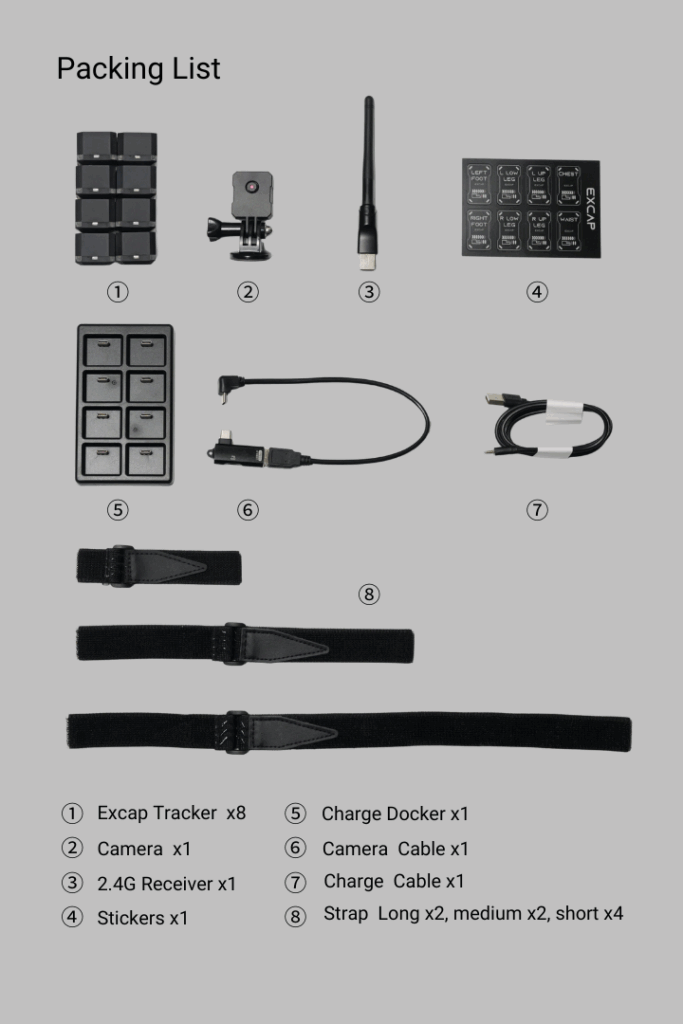
> 📝 **Note:** Keep the box and inserts in case you need to store or transport the trackers later. The straps and stickers are small and easy to misplace.
## How to Wear Your Trackers
Thread the strap through each tracker and fasten it at the position shown below.
- The tracker’s button side must face upward.
- The tracker should be on the front of your body.
- Keep the tracker from sliding as much as possible.
- Both 6-point and 8-point tracking are supported. Foot trackers are optional if you do not need ankle movement.
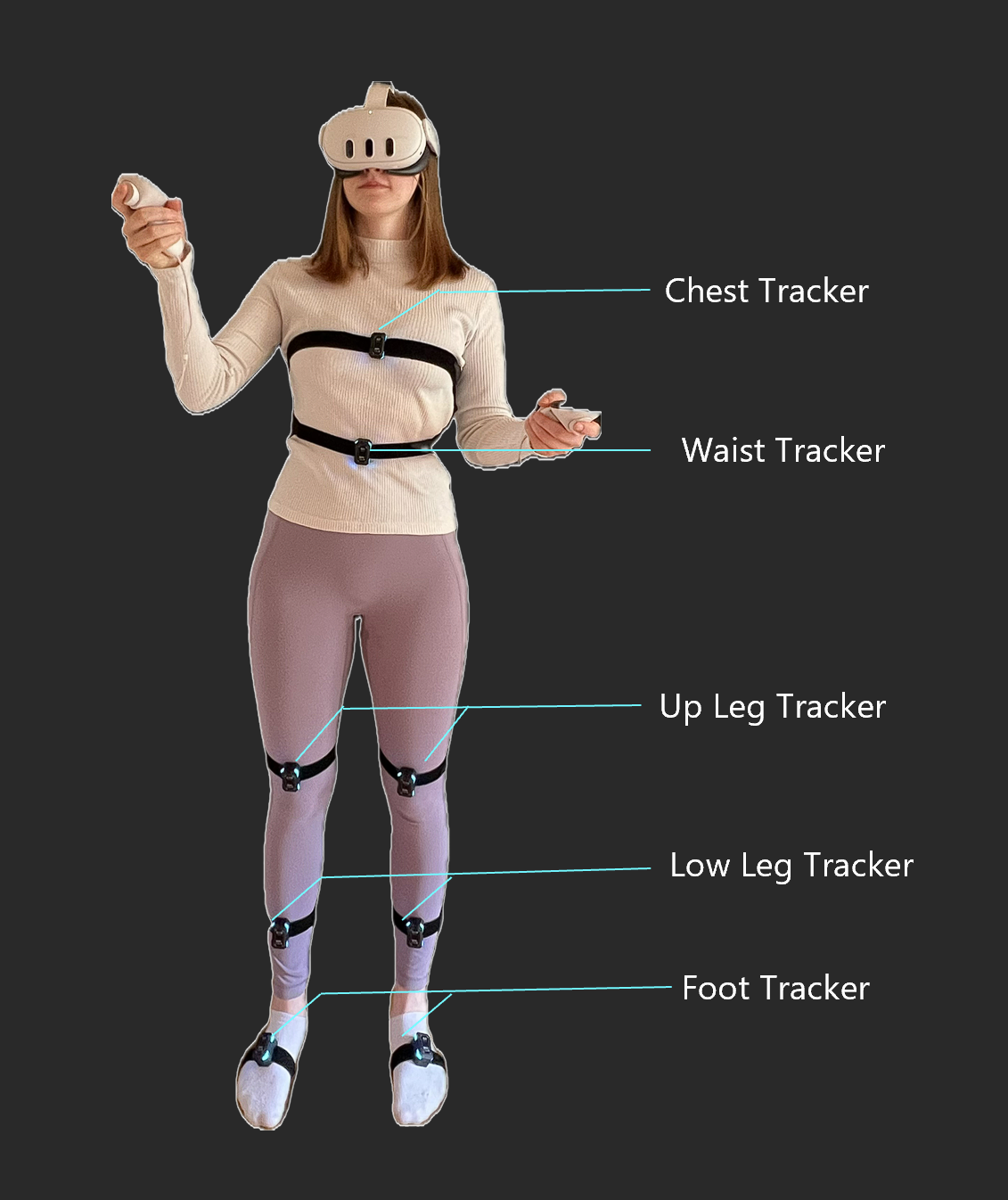
We recommend starting with the 6-point setup. If you are using foot trackers, mount them about one-quarter of the way down the inside of each foot.
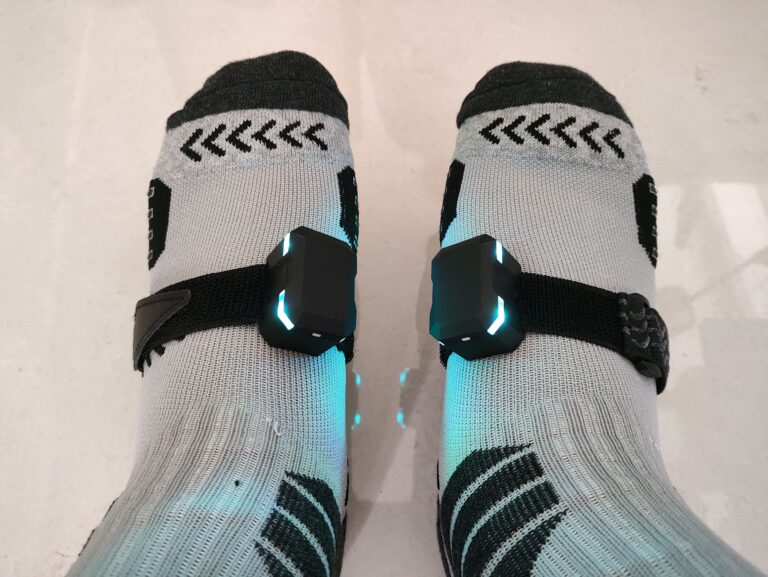
> 💡 **Tip:** Tighten the straps so the trackers stay in place, but not so tight that they become uncomfortable during long sessions.
## Label Your Trackers
For quick identification and correct placement, EXCAP provides sticker labels for each tracker position. Each tracker is assigned a default body position the first time it starts up.
Click a device card in Excap Studio to see which position it is paired to, then attach the matching sticker to that tracker’s casing.
> 💡 **Tip:** Labeling your trackers now will save you time every time you put them on later.
---
> **Next:** [Download and Install](/books/quick-start/page/download-and-install) ➡️